Tip
Get Rain Alerts from the Weather App
Your iPhone can notify you minutes before rain or snow starts — and again when it's about to stop. Most people have no idea this exists.
How to turn it on
- Open the Weather app
- Tap the ⋯ menu (top right)
- Tap Notifications
- Turn on Next-Hour Precipitation for your current location (and any saved locations you want)
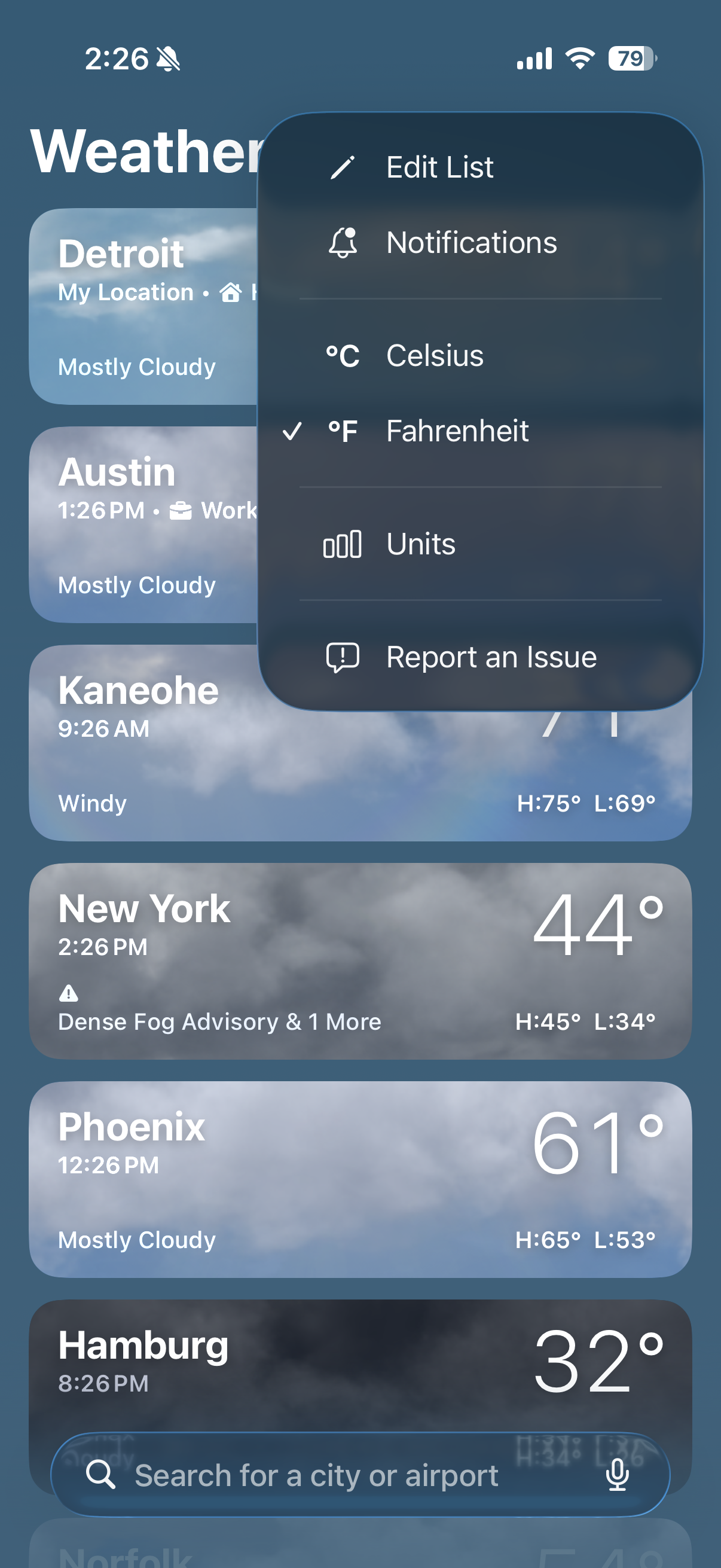
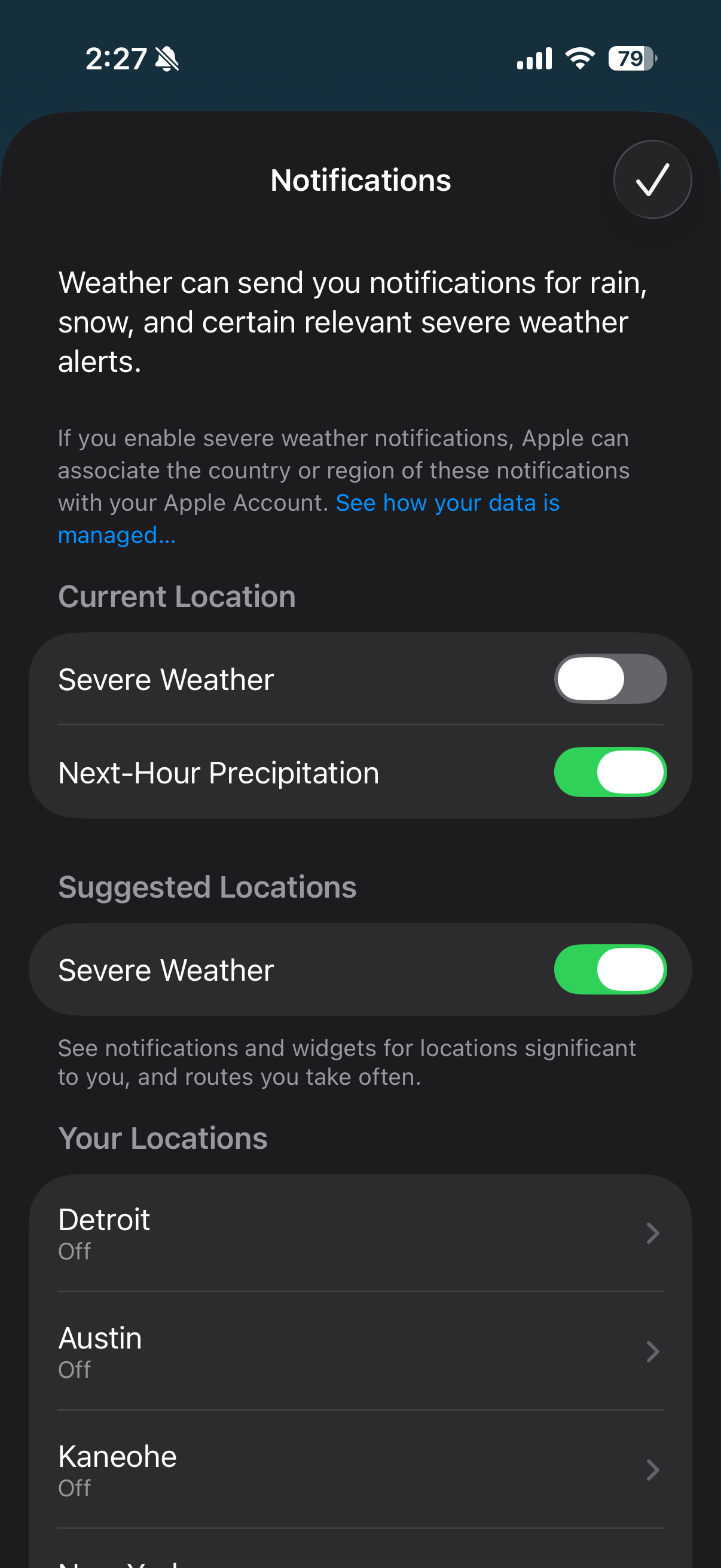
You'll get a heads-up notification like "Rain expected in 10 minutes" — perfect for deciding whether to grab an umbrella before heading out.
Good to know
- Next-Hour Precipitation is available in the US, UK, Ireland, and parts of Australia and Europe
- You can also enable Severe Weather alerts from the same screen for storms, heat advisories, etc.
- Requires Location Services enabled for Weather (Settings → Privacy & Security → Location Services → Weather → Always)
For more details, see Apple's guide to weather notifications.